Sunday, 9 October 2011

Exact Audio Copy 1.0 beta 3 Multilingual


Audio grabber for audio CDs (more infos) without installation.

Download Portable EAC (5.3 MB)


Extract and run EACPortable.


Edit EACPortable.ini to set External Encoder with Default Settings:

ExternalEncoder=FLAC (1.2.1)

ExternalEncoder=LAME (3.98.4)

ExternalEncoder=Ogg (2.87)

ExternalEncoder=APE (4.10)

ExternalEncoder=Custom to keep personal settings for encoder


Settings of installed EAC should be preserved.

Friday, 23 September 2011

Sysinternals Utilities


Manage, troubleshoot and diagnose your Windows systems and applications without installation.

Download Portable Sysinternals Utilities Online (1.0 MB)

Installer will download latest version of selected utilities:
AccessEnum,
ADExplorer,
ADInsight,
Autoruns,
BgInfo,
CacheSet,
DebugView,
Disk2vhd,
DiskMon,
DiskView,
LoadOrder,
PageDefrag,
PortMon,
ProcessExplorer,
ProcessMonitor,
RAMMap,
ShareEnum,
TCPView,
VMMap,
WinObj,
ZoomIt.


Installer run as update: Utilities found in PortableApps folder are checked by default.


Extract and run *Portable.

Settings of installed Sysinternals Utilities should be preserved.


Thursday, 8 September 2011

Babylon 9.0.3.23 Multilingual


Translate in one click without installation.

Download Portable Babylon (2.4 MB)


Extract and run BabylonPortable.

Don't forget to close Babylon before leaving Windows : right-click on icon, Exit.

Not Thinstalled, so you can translate a word with choosed click of the mouse.

Interface language set by launcher with localization of Windows (English, Arabic, SimpChinese, TradChinese, Dutch, French, German, Hebrew, Italian, Japanese, Korean, Portuguese, Russian, Spanish, Swedish, Turkish).

To set language yourself, write SystemLang=false in BabylonPortable.ini.


To add dictionaries:

Download Offline Dictionary (SFX Zip exe).

Extract .BGL file with 7-Zip, WinRAR or WinZip (right-click on exe).

Drag'n'drop .BGL file on BabylonPortable.exe (not running).


Monday, 15 August 2011

Latest Internet Download Manager Registration


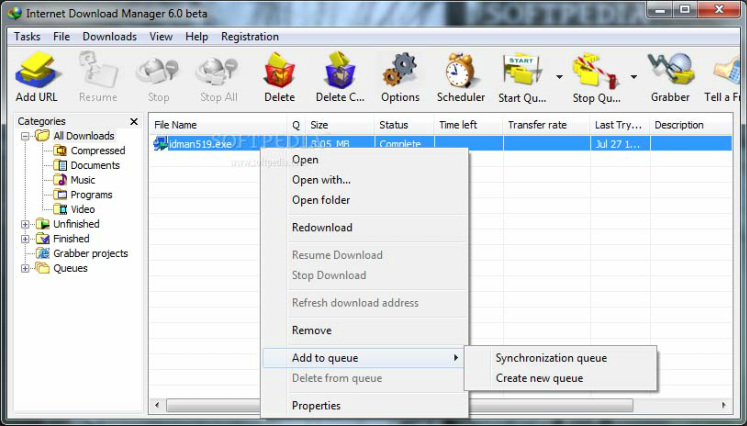
Internet Download Manager is a full-featured package that handles downloading tasks with aplomb. It conveniently integrates into your browser, even if you use Mozilla or Opera.
It automatically sorts incoming files by file type and puts them in the appropriate folder. Most importantly, it supercharges download speeds (it doubled ours). Its windowed interface is clean and easy to understand. Power users can take advantage of the command line interface to resume file transfers, schedule downloads, connect through dial-up, or log on to password-protected sites. Experienced users also can limit the number of connections, the download speeds for specific sites, and even create an exception list to block specific, user-defined sites.

Registration is also in this file
To download Follow The Link  Download Link
To Download IDM Beta Version   Download Link

Installation Method :
  1. Download Latest version From Given Link (There are two files in zip folder) 
  2. Install "Setup.exe" 
  3. Install "Registration.exe"
  4. Enjoy!!!!

Saturday, 30 July 2011

File Renamer Turbo 2.76


Quickly rename multiple files & folders and tag your music library without installation.

Download Portable FileRenamerTurbo (4.2 MB)


Extract and run FileRenamerTurboPortable.

Need Microsoft .NET 2.0 Framework.

Integrated in shell explorer while running (open another windows).

Settings of installed FileRenamerTurbo should be preserved.

Thursday, 28 July 2011

Any To Icon

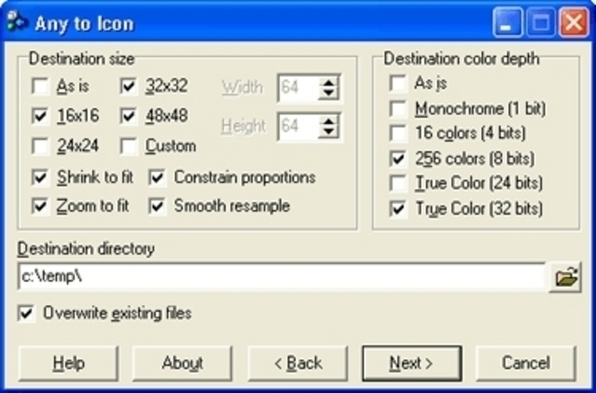
Another software Any To Icon is a software that can extract icons from libraries like {exe,dll,bin,etc}
can make icons from Photoshop archives, pdd files,  png images, other photo formates .Any to Icon converts BMP, JPEG, GIF, PNG, PSD, WMF, WBMP, XPM, TIFF and CUR formats into Windows icons. You can add files and folders from Windows Explorer or other file shells using drag and drop, and you can break down entire icon libraries into individual icons. You can change color resolution and size to create customized icons. Any to Icon allows you to extract icons from folders and libraries. It's easy to process multiple files at once..It is shareware & key is also in the file.

You can download it from  this link                                Download


Saturday, 4 June 2011

HyperCam 2.25.01 32-64 bit En


Screen recorder from Windows screen without installation.

Download Portable HyperCam 2.25.01 32-64 bit En (1.0 MB)


Extract and run HyperCamPortable.

Output in portable folder: if you don't want, edit HyperCamPortable.ini.

Settings of installed HyperCam should be preserved.